
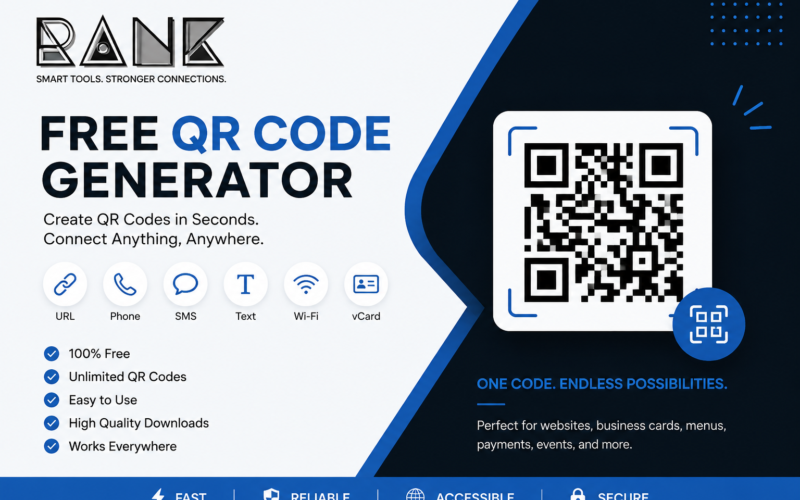
A QR code generator is a simple online tool that converts information such as a website URL, phone number, SMS message, or text into a scannable QR code. With a smartphone camera, users can scan the code and quickly access the information stored in it.
Whether you are a business owner, marketer, freelancer, restaurant, retailer, event organizer, or individual, a free QR code generator can help you connect offline materials with digital content.
What Is a QR Code?
QR stands for Quick Response. A QR code is a two-dimensional barcode made up of a pattern of small squares that can store information. Modern smartphones can generally scan QR codes directly using their camera.
QR codes are commonly used to share:
- Website URLs
- Contact information
- Phone numbers
- SMS messages
- Plain text
- Wi-Fi information
- Product information
- Digital menus
- Payment information
- Social media profiles
- Event information
They are particularly useful because people can access digital information without manually typing a long web address.
What Is a QR Code Generator?
A QR code generator is a website or software tool that creates QR codes from information entered by the user.
For example, if you enter:
the generator converts that URL into a QR code. Someone can then scan the code with a smartphone and open the website.
A good free QR code generator should make the process simple:
Choose the information → Enter your data → Generate the QR code → Download → Scan and test.
Free QR Code Generator
If you are looking for a quick way to create a QR code, you can use a free online QR code generator without needing specialized design or coding skills.
Try Shopify’s Free QR Code Generator
Shopify’s tool supports several common data types, including website URLs, phone numbers, SMS and plain text. It also states that its generator can be used for unlimited QR codes without a charge.
How to Create a QR Code
Creating a QR code usually takes only a few steps.
1. Choose Your QR Code Type
First, decide what you want the QR code to do.
For example:
- Website URL: Send visitors to your website.
- Phone number: Let customers quickly call you.
- SMS: Open a prepared text message.
- Text: Display a written message or information.
The correct format depends on your intended use.
2. Enter Your Information
Enter the URL, telephone number, message, or text you want to encode.
Always check the information carefully before generating the code. A QR code can only take users to the information or destination you provide.
3. Generate the QR Code
Click the generator’s create or generate button. The tool converts your information into a QR code that can be scanned using a smartphone.
4. Download or Save Your QR Code
Save the generated QR code in a suitable image format and use it on your website, marketing materials, packaging, business cards, posters, menus, or other materials.
5. Test the QR Code
Before printing thousands of copies or publishing your design, scan the QR code with a smartphone.
Check that:
- The code scans correctly.
- The URL opens properly.
- The phone number is correct.
- The text is displayed correctly.
- The code works from the intended distance.
Testing is especially important for printed QR codes.
Where Can You Use QR Codes?
QR codes are useful for both digital and offline marketing.
Business Cards
Add a QR code to your business card so customers can quickly visit your website, portfolio, social profile, or contact page.
Flyers and Posters
Businesses can place QR codes on promotional flyers and posters to connect offline advertising with an online landing page.
Product Packaging
A QR code on packaging can send customers to product information, instructions, warranty registration, reviews, or your online store.
Restaurants and Cafés
Restaurants can use QR codes for digital menus, special offers, ordering systems, feedback forms, or reservation pages.
Retail Stores
Retailers can use QR codes to provide additional product information, promotional offers, online purchasing options, or customer support.
Marketing Campaigns
QR codes can be placed on advertisements, brochures, billboards, direct-mail campaigns, and promotional materials. Shopify also highlights business cards, flyers, car decals and billboards as possible marketing placements.
Events
Event organizers can use QR codes for registration pages, tickets, schedules, maps, speaker information, and feedback forms.
Benefits of Using a QR Code Generator
Fast and Convenient
Users don’t need to manually type a long URL. They simply scan the code with their phone.
Easy to Create
No programming knowledge is required. Most generators require only a few pieces of information.
Useful for Marketing
QR codes can connect printed advertising with digital campaigns and landing pages.
Saves Space
A small QR code can provide access to a large amount of digital information without printing the entire URL or message.
Mobile Friendly
QR codes are designed for quick interaction with smartphones, making them particularly useful for mobile-focused campaigns.
Static vs. Dynamic QR Codes
One important distinction is between static and dynamic QR codes.
Static QR Code
A static QR code contains the information directly in the code. If you create one for a particular website URL, changing the destination generally requires creating a new QR code.
Static QR codes are useful when the information is unlikely to change.
Dynamic QR Code
A dynamic QR code typically points to an intermediate URL, allowing the destination to be changed later without replacing the printed QR code.
Dynamic systems can also provide additional campaign-management or analytics features, depending on the service.
Therefore, businesses should choose between static and dynamic QR codes based on whether they need flexibility and tracking.
QR Code Design Tips
A QR code should be easy for smartphones to recognize.
Use Good Contrast
Maintain strong contrast between the QR code and its background. Poor contrast can make scanning difficult. Shopify similarly recommends sufficient contrast and clear image quality.
Don’t Make It Too Small
A QR code needs to be large enough for the camera to recognize its individual modules.
For printed materials, test the final physical size before mass printing.
Use High-Quality Images
Avoid heavily compressed or blurry images. Higher-quality QR code files are generally better for printing and scanning.
Leave Enough Empty Space
Keep a clear margin around the QR code so scanners can distinguish it from surrounding graphics and text.
Test Before Publishing
Always scan the final version, particularly after adding it to a poster, brochure, product package, or advertisement.
QR Codes for Digital Marketing
QR codes can become a useful part of an integrated digital marketing strategy.
For example, a business could place a QR code on a printed advertisement that leads to a dedicated landing page.
Instead of sending everyone to the homepage, you could create campaign-specific destinations such as:
Advertisement → QR Code → Landing Page → Lead Form → Conversion
This makes the QR code part of the customer journey rather than simply an image on a poster.
Businesses can also use different QR codes for different campaigns and measure the resulting traffic when their QR infrastructure supports tracking. Shopify notes that unique QR codes can be used across marketing campaigns to help measure scans and access to content.
Are QR Codes Safe?
A QR code itself is simply a method of encoding information, but users should still be careful about what they scan.
A malicious QR code can direct someone to a fraudulent website or other unsafe destination. Digital.gov specifically warns that QR codes can be tampered with and recommends considering the security implications of their use.
Before entering passwords, payment information, or other sensitive data, check the destination URL and make sure you trust the source of the QR code.
Frequently Asked Questions
Can I create a QR code for free?
Yes. There are free QR code generators that allow users to create QR codes without purchasing software. Shopify’s free tool, for example, supports unlimited QR code creation according to its current page.
What can a QR code contain?
Depending on the generator, a QR code can contain or represent information such as a website URL, phone number, SMS message, plain text, contact details, Wi-Fi credentials, payment information, or other digital destinations.
Do QR codes expire?
A static QR code generally does not have an inherent expiration date. However, the destination behind a QR code can stop working if the website, URL, or QR-code service is removed or changed.
Do I need an app to scan a QR code?
Many modern smartphones can scan QR codes directly through their built-in camera. Availability can vary by device and software version.
Can I use a QR code for business marketing?
Yes. QR codes can be used on business cards, packaging, flyers, posters, advertisements, menus, vehicles, signs, and other marketing materials.
How do I make a QR code for my website?
Copy your website URL, open a QR code generator, select the website or URL option, enter your address, generate the QR code, download it, and test it with a smartphone before using it.
Final Thoughts
A free QR code generator provides a simple way to turn digital information into a format that customers can access quickly with their smartphones.
From websites and business cards to product packaging, restaurants, events, advertisements, and marketing campaigns, QR codes can help bridge the gap between offline and online experiences.
The key is not simply generating a QR code, but using the right destination, maintaining good readability, testing the final design, and giving users a clear reason to scan it.
Ready to create your QR code? Use a trusted free QR code generator, enter your information, generate the code, test it, and start connecting your offline audience with your digital content.